
Settings
Settings
The settings tabs, and why one might be missing
Where: the Settings section
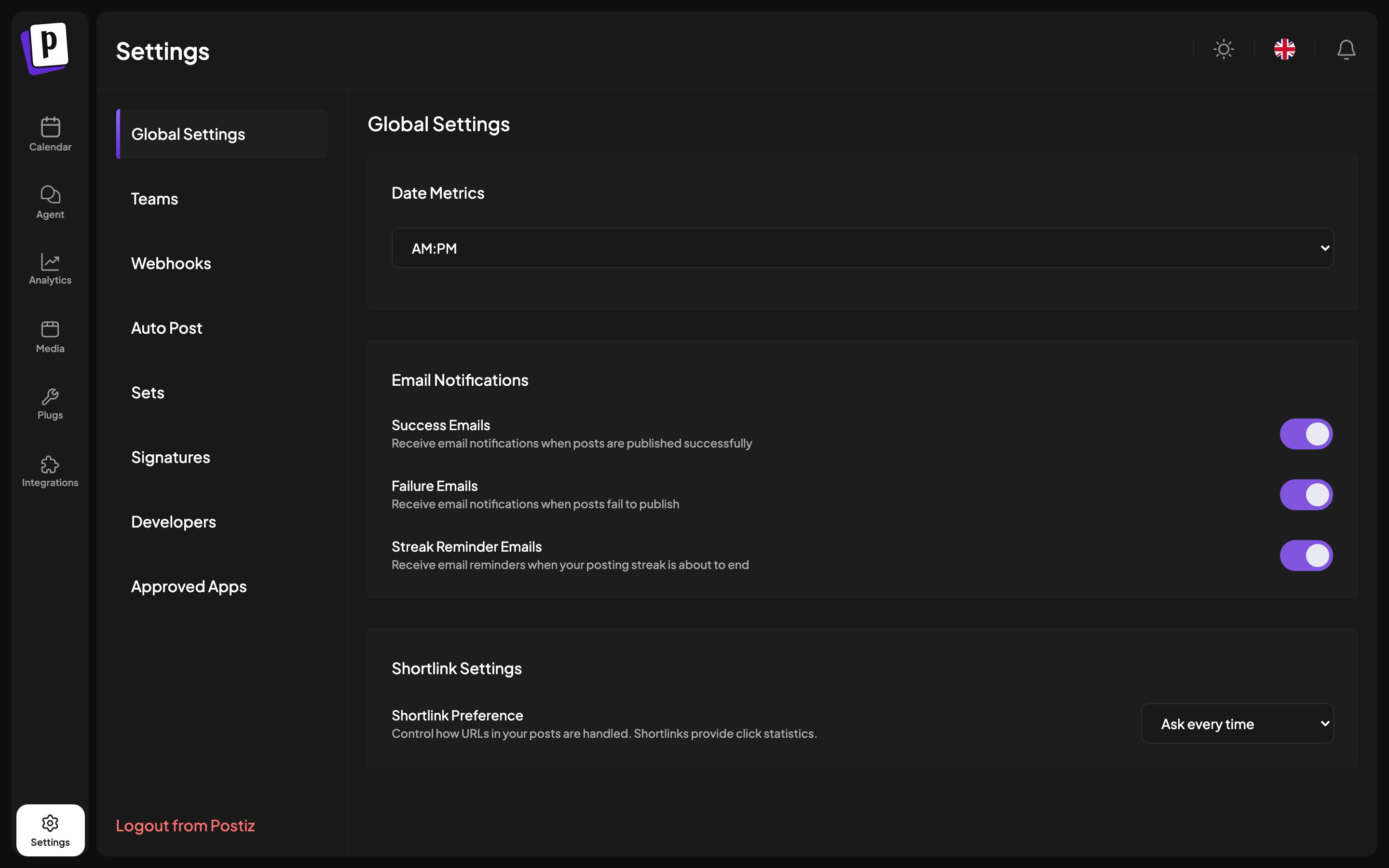
The tabs
| Tab | What it holds |
|---|---|
| Global Settings | Time format, email notifications, short link preference |
| Teams | Invite members, set roles, see Team |
| Webhooks | HTTP callbacks on publish, see Webhooks |
| Auto Post | RSS feeds, see RSS auto-posting |
| Sets | Saved channel selections, see Sets and signatures |
| Signatures | Reusable sign-offs, see Sets and signatures |
| Developers | API key, OAuth apps, MCP and CLI, see Developers |
| Approved Apps | Third-party apps with access to your account |
Why a tab is missing
- Hosted service
- Self-hosted
Tabs appear according to your plan and your role:
| Tab | Needs | |---|---| | Teams | Team plan and above | | Webhooks | Standard plan and above | | Auto Post | Team plan and above | | Sets, Signatures | Any paid plan | | Developers | Standard plan and above |
Global settings
Date metrics
Switches times between AM/PM and 24 hours.
This is stored in your browser, not on your account, so it does not follow you to another machine. There is no timezone setting at all: Nitty Music Social always uses your browser’s timezone.
Email notifications
Three independent toggles:
- Success emails, when a post publishes.
- Failure emails, when a post fails. Worth keeping on, since a silently failing channel is the failure mode that costs you most.
- Streak reminder emails, nudges to keep your posting streak alive.
On self-hosted Nitty Music Social: these only arrive if an email provider is configured, see Email configuration.
Short link preference
Ask every time, Always shortlink, or Never shortlink. See Links and validation.
Approved apps
Third-party applications you have authorised through Nitty Music Social OAuth, with the date each was approved and a Revoke action. Revoking is immediate: the application loses access at once.
Review this occasionally, and revoke anything you no longer recognise or use.